Troubleshooting
Common problems and how to fix them. When in doubt, start with debug mode.
Setup
No colors showing
Run with debug mode:
If you seepassthrough mode, the config was not discovered. Verify:
- The package was built and you sourced
install/setup.bash. config/dendROS.yamlis installed. CheckCMakeLists.txtfor: Writeconfigwithout a trailing slash.config/copies the file toshare/<pkg>/dendROS.yaml, where DendROS doesn't look; it must end up atshare/<pkg>/config/dendROS.yaml.dendros initin DendROS 1.0 wrote the line with the slash, so check packages you set up with it.
Nodes not matching expected colors
Check the debug summary — it prints each group and its patterns. Compare against raw output:
Node names are matched after stripping the-N suffix. Use wildcards (nav2_*) for nodes you don't know in advance.
Colors
A node's [TAG] badge is a different shade than its own text
Some terminals brighten bold foreground text but never brighten backgrounds — since a
node's regular text is bold foreground and its inverted [TAG] badge uses that same
color as a background, the two can end up looking like different shades of the same
color on terminals that do this. It's a terminal rendering quirk, not a config problem:
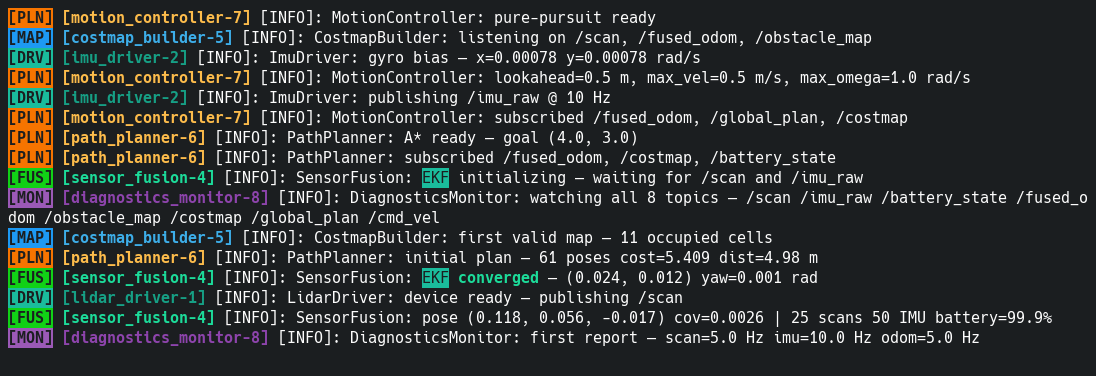
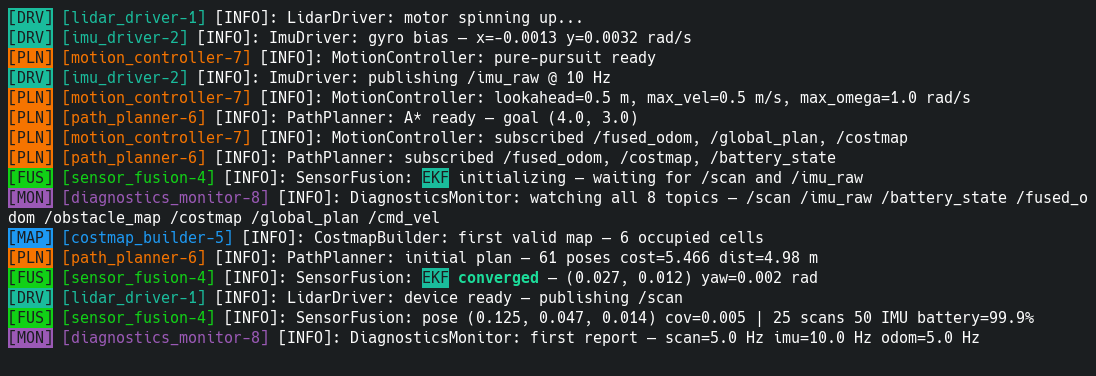
Fix it by enabling Ignore bold in dendros config (Output tab), or setting
ignore_bold: true in ~/.config/dendROS/defaults.yaml directly. This strips the bold
modifier everywhere colors are resolved — ros2 launch/run, the TUI, and every
ros2 node/service/action/param/topic CLI command — so hue stays consistent regardless
of how your terminal handles bold. See Global Settings.
Colors may look different across terminals
ROS 2's own log-level colors, and any standard named color you use in dendROS.yaml
(red, blue, green, …), are rendered using your terminal emulator's own color
theme — that's how ANSI works, with or without DendROS. The exact same session can
genuinely look different depending on what you're running it in:
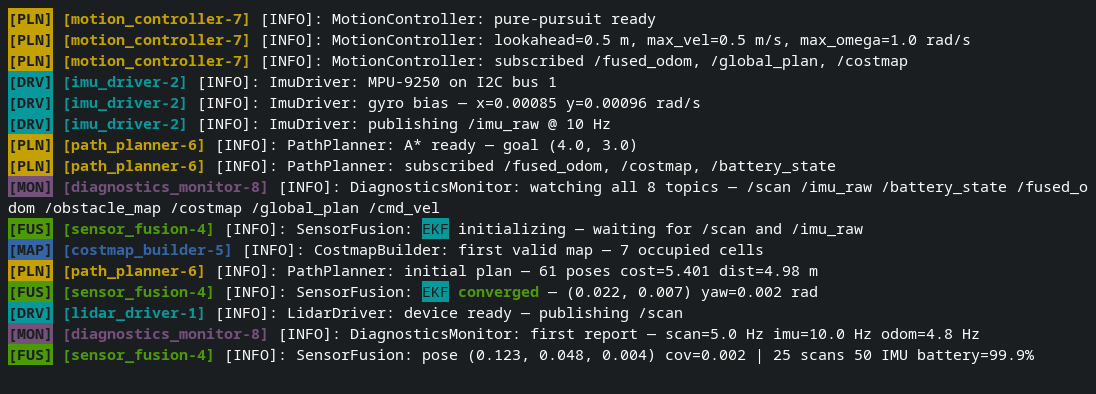
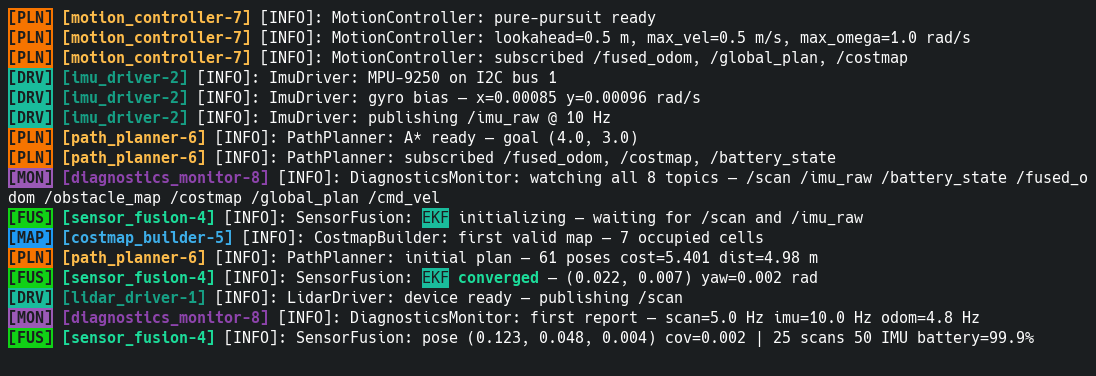
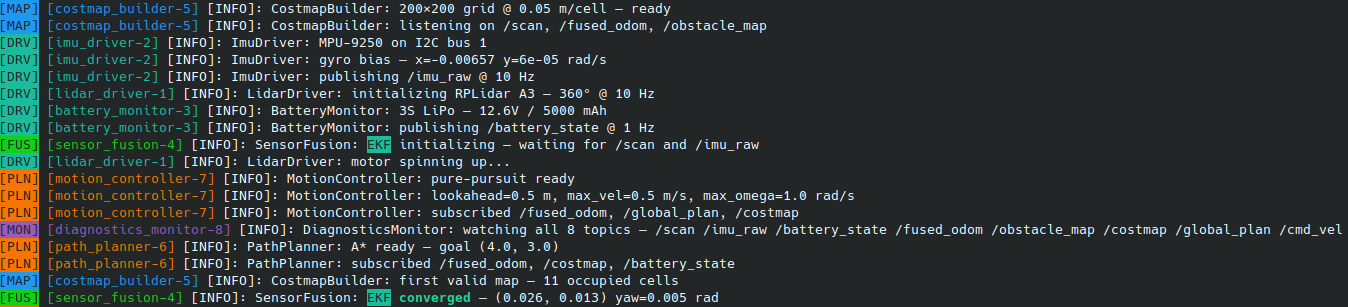
Use extended/hex colors ("#FF6600", teal, coral, …) instead of the 8
standard names if you want an exact, portable color regardless of terminal theme. If
instead a node's text and its [TAG] badge look like different shades, see the entry
above.
TUI mode
ros2 launch still shows classic output
TUI mode is the default. Check that launch_mode isn't set to classic in
~/.config/dendROS/defaults.yaml (or Launch mode in the Output tab of
dendros config). TUI mode also falls back to classic output on purpose when:
- the command is
ros2 run(TUI mode is forros2 launchonly) - stdout is redirected or piped (
| tee,> file) - curses can't start in the terminal
See TUI Mode.
Copying with the mouse does nothing
DendROS copies through OSC 52 and, if installed, xclip/xsel/wl-copy. Some
terminals (several VTE-based ones, Terminator for example) ignore OSC 52. Install a
clipboard tool:
-- copy needs xclip/xsel/wl-copy (none found) --.
Colors in the TUI look slightly different from classic mode
The TUI draws with the terminal's 256-color palette, so hex and extended colors are shown as the nearest of those 256 colors. Classic mode shows them exactly.
dendros focus says unknown node
A node can only be focused or muted once a line about it has appeared (its process
started line counts). Use Tab
completion in the console bar (\focus then Tab) to see the names the TUI knows.
dendros reopen says there's no saved run
Runs are saved per terminal: reopen from the same terminal that ran the launch. Only TUI launches are saved, not classic-mode ones. See Reopen the last run.