Installation
Requirements
- ROS 2 (any distribution)
- Python 3.8+
pyyaml—pip3 install pyyaml- bash shell
Install
The installer copies files to /usr/local/dendROS/ and adds a source line to ~/.bashrc.
From that point on, ros2 launch and ros2 run are automatically piped through the colorizer.
Use the non-interactive -y flag for RUN layers:
Docker Compose
Add these settings to your service so colors render correctly:
Exec vs Up
docker compose exec my_robot bash sources ~/.bashrc immediately.
docker compose up log streaming has no TTY — tty: true is required for ANSI colors to render there.
Uninstall
Removes /usr/local/dendROS/ and the .bashrc lines cleanly. Nothing else is touched.
Verify
After sourcing .bashrc, use DENDROS_DEBUG=1 to confirm DendROS found your config:
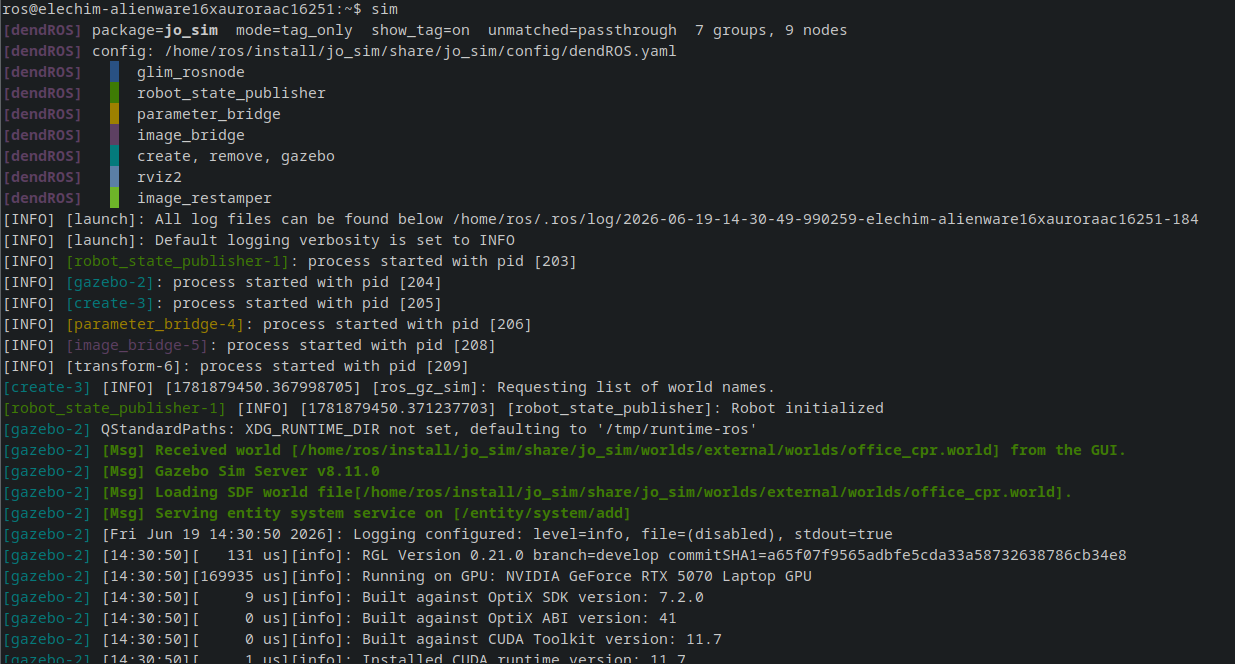
If you see passthrough mode instead, the config was not found. Check that:
- The package was built and
install/setup.bashwas sourced. config/dendROS.yamlis installed toshare/my_bringup/config/— verify yourCMakeLists.txtinstalls theconfig/directory.