Enable & Disable
DendROS can be switched off and on at any time, including while a launch is running, without rebuilding or restarting anything.
System-wide: dendros disable / dendros enable
dendros disable turns DendROS off for every terminal:
- New
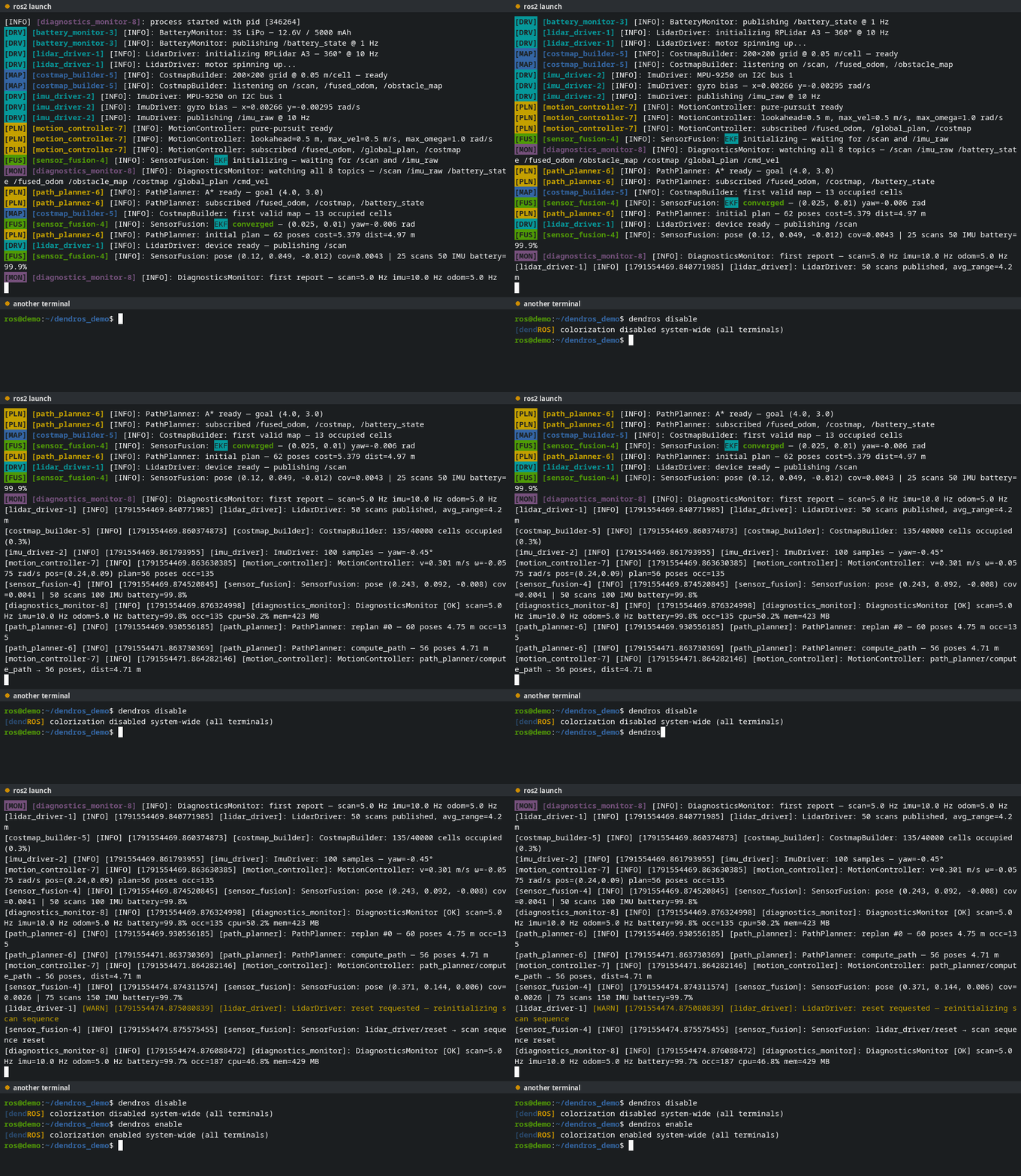
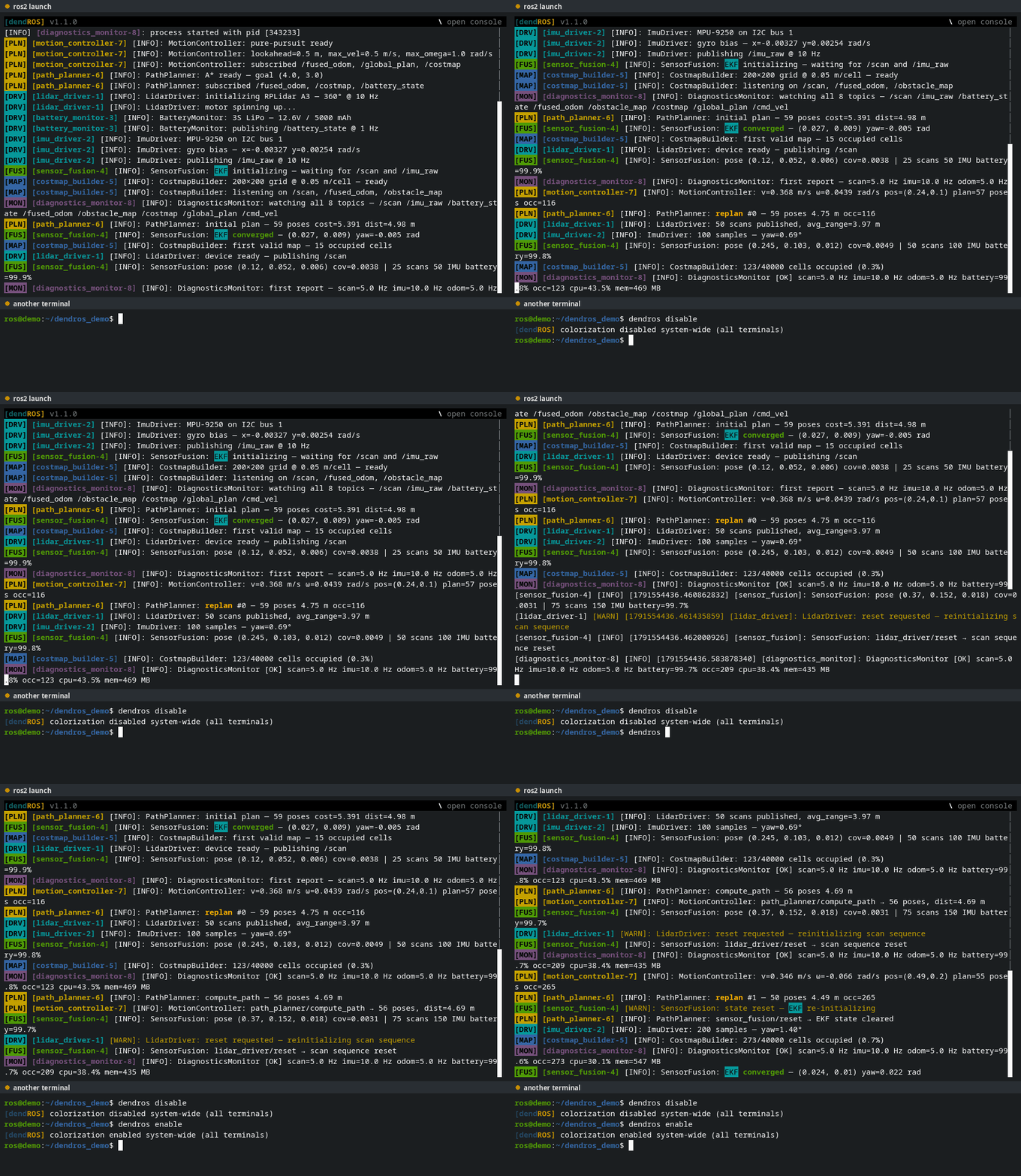
ros2commands in any terminal run without DendROS. ros2 launchandros2 runcommands that are already running, in any terminal, switch to plain output within about a second. The launch itself is not restarted.- A TUI launch closes its full-screen view and continues as plain output.
dendros enable reverses it. Running launches pick it up within about a second, and a TUI launch reopens with its full scrollback, including the lines printed while DendROS was disabled.
The running launch drops to plain ros2 output, then colorizes again.
The full-screen viewer closes and the launch continues as plain output. On enable it reopens with the whole scrollback.
The setting persists until you run dendros enable, including across reboots.
One shell or one command: DENDROS_DISABLE
To bypass DendROS only in the current shell, or for a single command, use the environment variable instead:
DENDROS_DISABLE=1 ros2 launch my_bringup main.launch.py   # this command only
export DENDROS_DISABLE=1                                  # this shell
With DENDROS_DISABLE=1 the real ros2 binary is called directly, without any DendROS processing.
Note
dendros disable also sets DENDROS_DISABLE=1 in the shell where you ran it, and dendros enable unsets it there.
Debug output: DENDROS_DEBUG
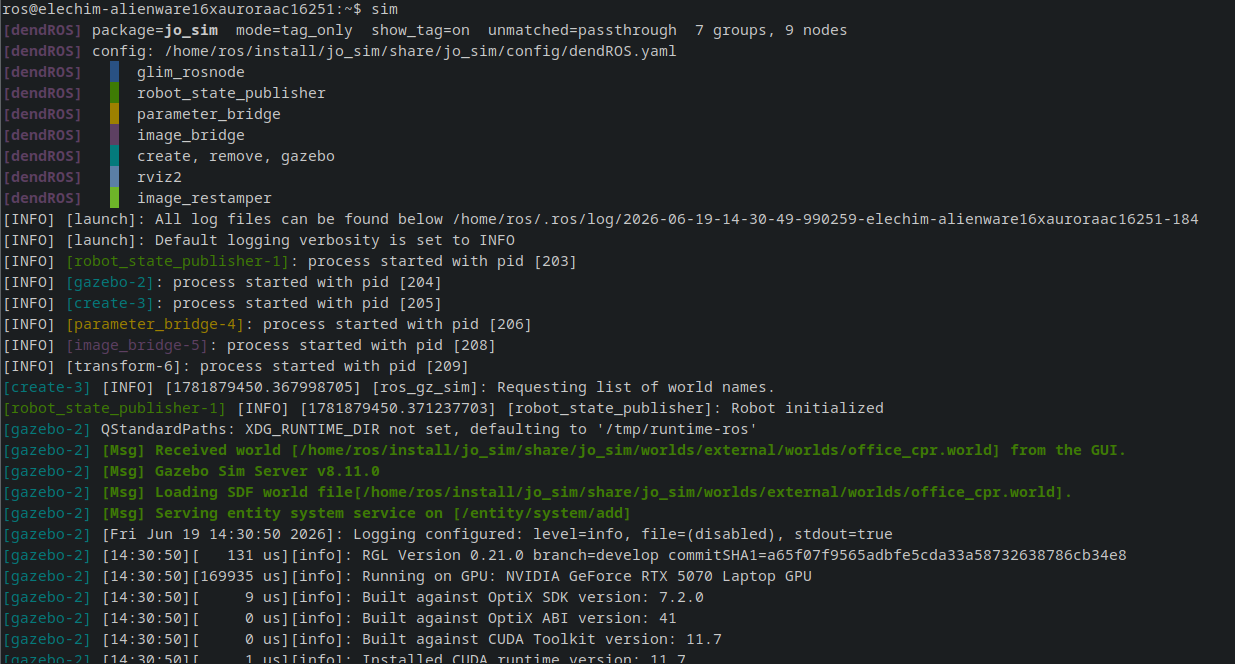
Prints which config files were found, the groups they define and the resulting node-to-color map to stderr at startup. In TUI mode the summary is printed before the viewer opens, so it is back on screen once you quit the viewer; add | cat to the command to get classic output and see it right away. Useful when colors don't show up, see Troubleshooting. Set Debug mode in dendros config to turn it on permanently.
Notes
- Packages without a
dendROS.yamlare never modified, whether DendROS is enabled or not. - Exit codes are preserved in every mode.