DendROS
Colorized ROS 2 terminal output.
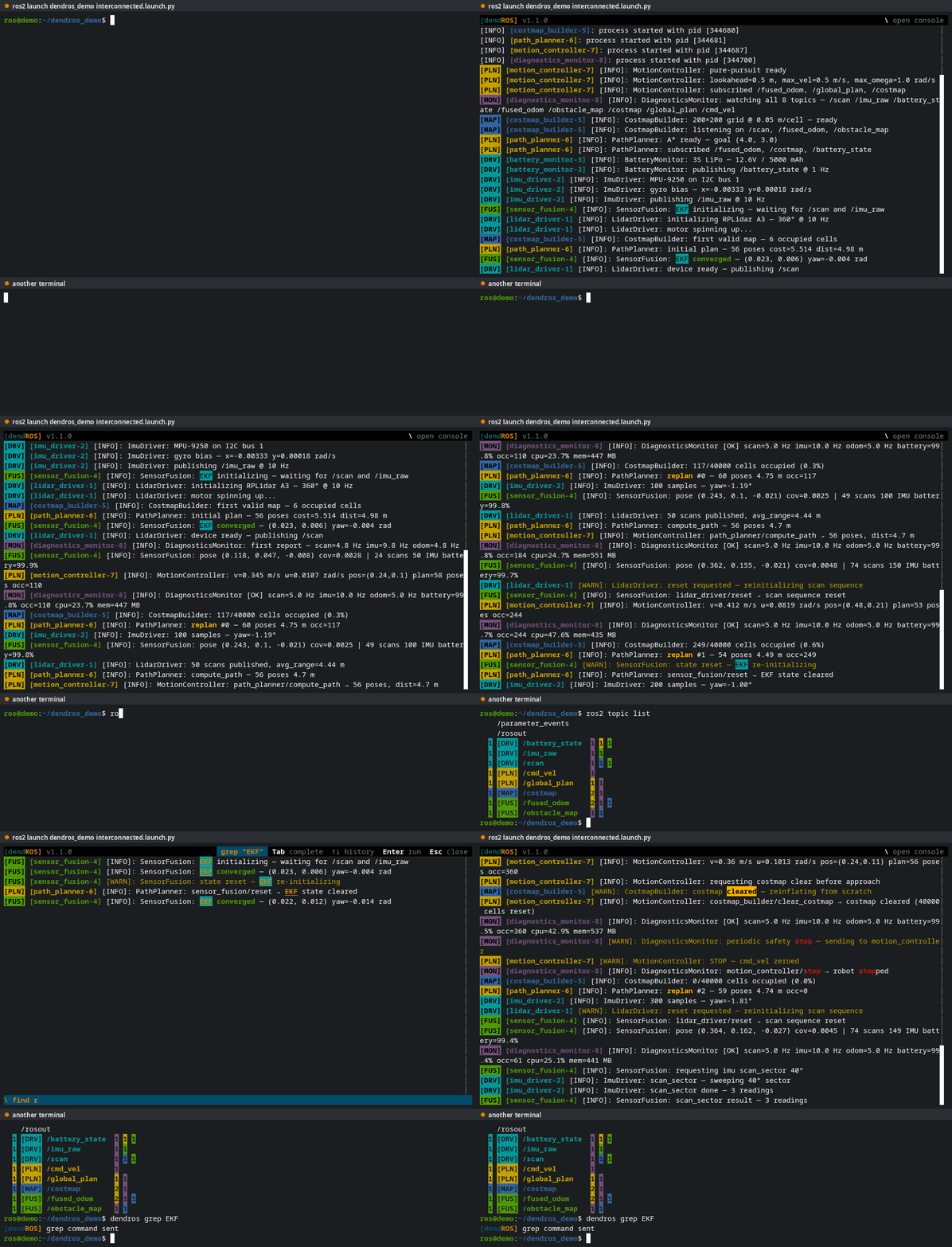
DendROS wraps the ros2 command and gives every group of nodes its own color, in ros2 launch, ros2 run and the ros2 introspection commands. New in 1.1, ros2 launch opens in a full-screen viewer: scroll back, search, filter by node or severity, and copy with the mouse while the launch keeps running. Colors come from a small YAML file in your package. Packages without one are left untouched, and nothing changes in your launch files.
Features
Full-screen launch viewer
TUI mode turns ros2 launch into a scrollable log with mouse copy, a pinned crash banner and a live scrollbar. [TUI Mode →](launch-tui.md)
Filter and search the live log
Press \ to focus on nodes, filter by level or grep, find text, mute noise, mark a moment and tee the view to a file. [Console →](tui-console.md)
Remote control and reopen
Drive a running launch from another terminal with dendros focus, and bring back the last run with dendros reopen. [More →](tui-remote.md)
Group colors and badges
One color and badge per group of nodes, with wildcards and keyword highlighting. dendros init writes the config for you. [Package Config →](configuration.md)
Crashes, tracebacks, parameters
A banner when a node dies, highlighted Python tracebacks, and an inline notice when a parameter changes. [Crash Alert →](crash-alert.md)
Colorized ros2 CLI
ros2 node, topic, service, action and param listings use the same group colors and badges. [See all →](ros2-cli.md)
Quick start
colcon build --packages-select my_bringup
source install/setup.bash
ros2 launch my_bringup main.launch.py
See Installation for the full setup or Quick Start for a step-by-step walkthrough.